Archo – AI Interior Design
- 4.1
- Rating
- 1.00M
- Installs
- Free
- Price

 Analysis by App-foxy
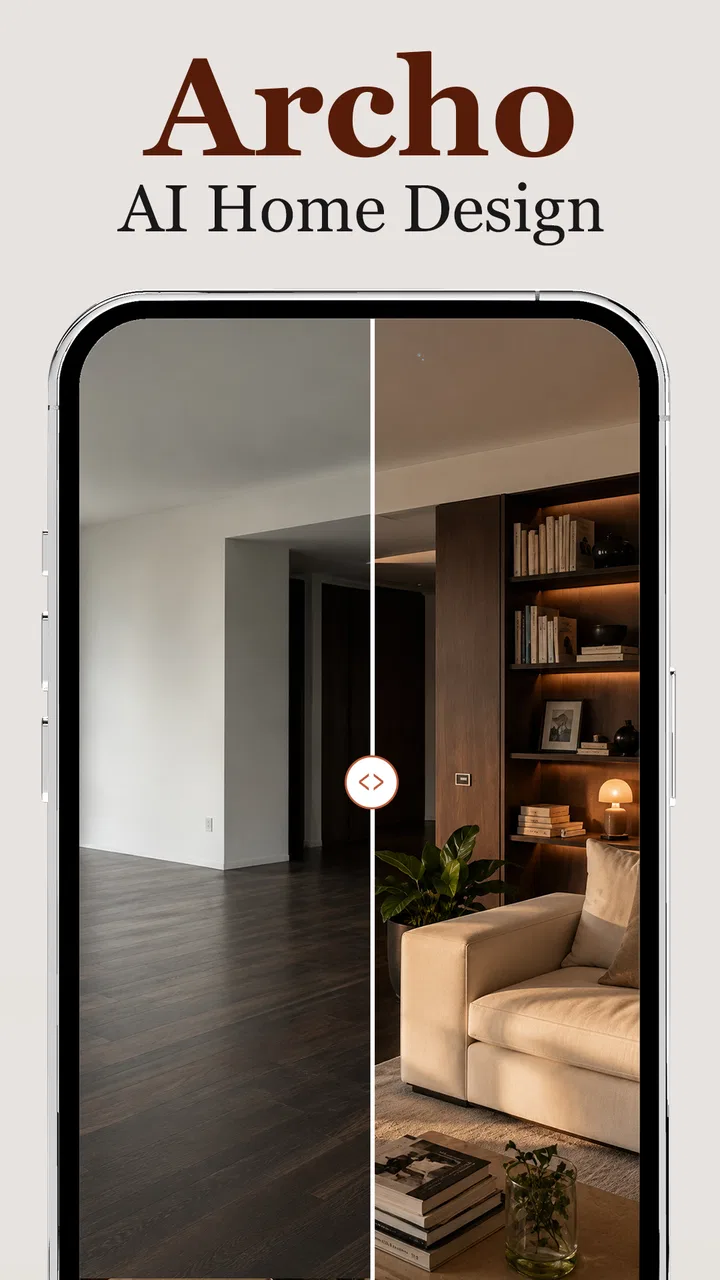
I tried Archo – AI Interior Design as a practical room-planning tool rather than treating it like a simple inspiration gallery. The idea is appealing: use artificial intelligence to explore different walls, floors, and layouts before touching the real room. In my experience, that makes the app most useful at the uncertain stage of a renovation, when you know a space feels wrong but have not yet decided whether the answer is paint, flooring, furniture placement, or a combination of all three.
Archo is a free House & Home app from ATQ - AI Lab, with optional in-app purchases priced from $7.99 to $39.99 per item. It is aimed at Everyone, runs on Android 7.0 or later, and its current version is 1.3.1. The app has passed the point of being a tiny experiment, with over 500 thousand installs, although its average rating of 3.1 from around 1.6 thousand ratings suggests that the experience is useful for some people but not consistently smooth for everyone.
How I use Archo when a room needs a clear starting point
I use Archo to turn a vague room problem into a small set of choices I can actually compare, rather than asking it to settle the whole design at once. In this section, I’ll focus on picking a useful first question and preparing an image that gives the app a fair starting point. That groundwork also makes it easier to recognize when a result needs a fresh attempt.
You May Also Like

 Blood Strike: 2.5 Anniversary
Blood Strike’s Loadouts Turn Every Drop Into a Tactical Gamble
A close look at Blood Strike’s custom loadouts: how fast access to signature weapons reshapes its battle royale rhythm, rewards preparation, and narrows the gap between fights.

 Pandora - Music & Podcasts
Pandora’s Music Is Easy to Start, but Harder to Recover
Pandora’s strength is its low-effort path from a seed to a station. Its weak spot is how much confidence it asks you to place in connection, setup, and quiet recovery.

 8 Ball Pool
 Is Built on Rivalries, Rematches, and Routine
A close look at the rivalries, rematches, shared routines, and unanswered safety questions that turn a quick pool match into a persistent mobile community.

 Samsung Music
’s Quiet Strength Is Playing What You Already Own
Its reach comes less from spectacle than from dependable access to a personal library. That simplicity is both the app’s strongest retention engine and its ceiling.

 AccuWeather: Weather Radar
AccuWeather Review: A Quick, Clear Forecast for Everyday Decisions
For everyday plans, the best forecast is the one you can understand quickly. AccuWeather makes rain timing, radar, and local conditions easy to act on, with a few trade-offs.

 Hill Climb Racing
Why Hill Climb Racing Still Turns Crashes Into One More Run
A tiny car, a bumpy hill and one more upgrade: Hill Climb Racing keeps resurfacing because its simple chaos makes every near-miss feel personal.
More From Our News Desk
View All News


Begin with one decision, not a complete makeover
The biggest mistake is to open an AI design app expecting a finished interior in one attempt. I get better results by choosing one question first. For example: would a lighter floor make a narrow living room feel more open, or would a warmer wall color make a home office less stark? That narrow goal gives each generated idea a purpose and makes it easier to compare alternatives.
I would start with a reasonably clear image of the room, taken in daylight if possible. A straight-on view is more helpful than a dramatic angle because the app needs to interpret the existing surfaces and proportions. I also avoid photographs with people, pets, piles of laundry, or temporary objects in the way. Even when the result looks attractive, visual clutter can make it harder to judge whether the proposed change actually suits the room.
Once the image is ready, I treat the first result as a conversation starter rather than a plan. AI visualization is good at showing direction: pale walls, darker flooring, a rearranged seating area, or a more open-looking composition. It is not a substitute for checking the real dimensions, the position of doors and windows, or the practical needs of the people using the space.
Compare changes in a controlled order
I found it more useful to change one major element at a time. First I look at the walls, then the floor, and only after that do I consider a different layout. If I alter everything together, I cannot tell which decision improved the room and which one introduced a problem. A sequence of focused experiments creates a rough visual record of what works.
This is especially helpful when discussing a room with another person. Instead of saying that a space should feel “more modern” or “less cold,” I can show a few clearly different directions and ask specific questions. Does the darker floor make the furniture stand out? Is the pale wall too plain? Does moving the seating improve circulation or only make the image look tidier? The app becomes a tool for making vague preferences easier to discuss.
For renters, this workflow is also more sensible than immediately planning a major purchase. Testing wall colors and floor tones visually can help narrow the shortlist before spending money. I would still check whether any proposed wall or flooring treatment is allowed in the property, but the early comparison stage is where Archo offers its clearest value.
Use it for decisions that are hard to imagine
People are often capable of choosing between paint swatches when they are placed next to each other, yet struggle to imagine those same colors across an entire room. Archo helps with that scale problem. A shade that looks attractive on a small sample may dominate a low-light room, while a color that seems boring on a card may create a calm background once it covers the walls.
The same applies to flooring. I would use the app to compare broad visual moods, such as a light surface against a deeper wood-like tone, but I would not rely on the image to judge exact material texture or how a finish will react to sunlight. The generated scene is a visual approximation. It is valuable for eliminating unsuitable directions, not for replacing physical samples.
A realistic everyday scenario
Imagine that I am preparing a spare room to become a home office. The room currently contains a desk, a chair, and storage boxes, but it feels cramped. I would photograph it after clearing the temporary clutter, test a lighter wall treatment, compare two floor directions, and then examine whether the desk should remain against the wall or move closer to a window. The useful outcome is not necessarily a perfect final image. It is discovering that the room looks brighter with the wall change but becomes awkward when the desk blocks the walking route.
That distinction matters. A pleasing AI image can encourage an impractical arrangement, while a less glamorous result may reveal the more important issue: insufficient clearance, an obstructed door, or furniture that no longer fits the intended use. I use the app to generate questions that I can verify in the physical room.
What I check before trusting a result
After each visualization, I compare the image with the original rather than judging the new version in isolation. I look at the edges of walls, the floor boundary, windows, furniture legs, and the areas behind objects. If those details have changed in ways that would not make sense in the real room, I treat the result as inspiration only.
I also ask whether the proposed style matches the room’s fixed features. A design may look polished because the AI has simplified the scene, but existing radiators, uneven walls, exposed pipes, low ceilings, and built-in storage can determine what is actually possible. Archo can help me think about color and arrangement; it cannot make those physical constraints disappear.
Settings and habits that deserve attention
I do not rush past the app’s available controls. Whenever an image or design option can be adjusted, I check what the app is asking me to provide and whether the selected room context matches the photograph. A bedroom, living room, and work area may need different visual priorities, so choosing the closest description is more useful than forcing every image through the same approach.
I also pay attention to the starting photograph before blaming the generation. A tilted camera, poor lighting, or a mirror reflection can create a weak foundation. Retaking the image is often a better “setting” than repeatedly asking for another result from the same confusing source. This is one of the simplest ways to improve the usefulness of an AI room tool without expecting it to correct every photographic problem.
When the app presents choices, I prefer restrained changes first. A subtle wall adjustment gives me a clearer comparison than an extreme makeover that changes the entire mood. Once I understand how the room responds, I can explore bolder combinations. This approach also reduces the temptation to mistake novelty for suitability.
Because Archo is free to install but offers paid items, I would explore the basic workflow before committing to any purchase. The important question is not whether a premium option produces a more dramatic image; it is whether it helps with the particular decision I am trying to make. Someone planning a serious renovation may find that worthwhile, while a casual user who only wants occasional inspiration may prefer to stay with the free experience.
Repeatable patterns that make the app faster
Experienced use is less about generating endless designs and more about keeping a small, organized set of comparisons. I would create a simple naming habit outside the app, such as “light wall,” “dark floor,” or “desk by window,” so that saved images remain understandable later. Without that discipline, attractive variations quickly blend together and the visual exercise loses its decision-making value.
Another useful pattern is to create a baseline before experimenting. I keep the original room image available and compare every major change against it. This prevents a common problem with visual tools: gradually accepting increasingly unrealistic results because each new version is judged only against the previous one.
I also recommend separating inspiration from shopping. First decide which direction suits the room. Only then start looking at real paint, flooring, furniture, or lighting. Otherwise, a generated design can push me toward buying an item simply because it appears in an appealing scene, even though the underlying layout remains unsuitable.
For a shared home, I would involve the other decision-makers early. One person may care about appearance, another about cleaning, and another about storage or movement through the room. Archo can make the visual discussion easier, but it does not decide which compromise is acceptable. The best workflow uses the app to expose differences in taste before money is spent.
Where the visual shortcuts can mislead
The app’s main strength is also its main limitation: it can make a room look resolved very quickly. That speed is useful for brainstorming, but it can hide the amount of work required to reproduce the result. A new floor has installation considerations, a wall treatment needs preparation, and a layout that looks open may fail once real furniture dimensions are measured.
I would be particularly cautious with scale. AI-generated furniture and decor can appear correctly placed while being subtly too large or too small. Before accepting a layout, I measure the key pieces in the real room and mark their footprints with tape or paper. That physical check is more reliable than judging whether a chair “looks about right” in the image.
Lighting is another area where I keep my expectations modest. A generated room may appear evenly lit, but real daylight changes during the day, and artificial lighting can alter wall colors dramatically. I use the app to compare broad color families, then test samples at different times if the decision is important.
There is also a difference between a visual suggestion and a construction plan. Archo can help me decide that a room might benefit from a simpler arrangement, but it does not turn that idea into measurements, a materials estimate, or an installation schedule. For those tasks, a measuring app, a spreadsheet, a physical floor plan, or advice from a qualified professional is the better companion.
Who will get the most from it
I think Archo is best for people who are visually undecided. If you are choosing between several wall directions, trying to understand whether a floor tone will overwhelm a room, or discussing a possible furniture arrangement with family, the quick visual feedback can save time and reduce guesswork.
It also suits first-time decorators who know they want a change but do not yet have a design vocabulary. Instead of needing to describe a style perfectly, you can react to concrete alternatives. That makes the process less intimidating and can reveal preferences you did not know you had.
Property owners preparing a room for a new purpose may find it useful during the planning stage. A guest room, study, play area, or small rental refresh can be explored before buying materials. The app is especially helpful when the question is “which direction should I investigate?” rather than “what exact product should I order?”
Who should choose another tool instead
I would not make Archo my only tool for a renovation that depends on precise dimensions, exact product matching, or technical planning. If the room has unusual architecture, complicated built-ins, or strict accessibility requirements, a measured floor-plan tool will usually be more dependable. For exact furniture placement, dedicated room-planning software may offer better control than an AI-generated scene.
It may also disappoint users who want a catalog of purchasable items or a direct path from inspiration to checkout. Its appeal is the speed of visual exploration, not necessarily the detailed specification of every object. Someone who already knows the furniture they want may be better served by a planner that works from exact dimensions and product models.
Finally, users who dislike experimenting with images may find the process less satisfying than browsing real design collections or visiting a showroom. AI suggestions can be surprising, but they can also require patience and judgment. The app rewards curiosity more than certainty.
My verdict after using it as a planning companion
Archo – AI Interior Design is a useful early-stage companion for room decisions, particularly when I need to see possibilities rather than commit to one style immediately. The free entry point makes it easy to test the basic idea, while the optional purchases mean I would evaluate the workflow carefully before paying for additional items. Its rating of 3.1 indicates that I would approach it with realistic expectations rather than assuming every result will be reliable.
The app works best when I provide a clean starting image, change one major element at a time, and verify every attractive idea against real measurements and everyday needs. The most valuable habit is to treat each result as evidence for a decision, not as a finished renovation blueprint. That mindset turns fast AI imagery into something genuinely practical.
My recommendation is straightforward: try it if you are stuck between room styles, need a quick way to discuss changes, or want to test walls, floors, and layouts before shopping. Keep another tool nearby for measurements, technical planning, and exact purchases. Archo is strongest as a visual thinking partner, not as the final authority on what your room can physically become.
For me, that is enough to make it worth exploring. It does not remove the need for taste, measurements, or common sense, but it can shorten the frustrating stage where every option exists only in my imagination. Used with a repeatable workflow and a healthy skepticism about scale, it gives home-improvement decisions a clearer and more approachable starting point.
FAQs for Archo – AI Interior Design
01What is Archo – AI Interior Design?
Archo – AI Interior Design is an innovative app that leverages artificial intelligence to help users design and visualize interior spaces. It offers a range of features, including virtual room simulations, furniture placement suggestions, and color palette recommendations, making it ideal for both amateur decorators and professional designers.
02How does the AI feature work in Archo?
The AI in Archo analyzes your space by utilizing photos and dimensions you provide. It then generates design suggestions based on the latest trends and your personal preferences. The AI can recommend furniture arrangements, color schemes, and decor ideas tailored to your specific room, making the design process efficient and personalized.
03Is Archo suitable for professional interior designers?
Yes, Archo is designed for both amateurs and professionals. For professionals, it offers advanced features like 3D modeling, detailed floor plans, and the ability to export designs in various formats. The app's AI capabilities can also serve as a creative tool to explore new ideas and concepts, enhancing a designer's workflow.
04What platforms is Archo available on?
Archo – AI Interior Design is available for both Android and iOS devices. Users can download it from the Google Play Store or Apple App Store. The app is optimized for both smartphones and tablets, ensuring a smooth user experience regardless of the device you choose to use.
05Are there any subscription fees for using Archo?
Archo offers a free version with basic features, but to unlock its full potential, a subscription is required. The premium version includes advanced AI tools, an extensive library of design resources, and the ability to save and export high-quality designs. Pricing details are available within the app itself.
Pros
- Intuitive interface enhances user experience.
- Diverse design styles for customization.
- Real-time AI suggestions are insightful.
- High-quality 3D rendering capabilities.
- Easy sharing options for collaboration.
Cons
- Limited free features
- subscription needed.
- Occasional AI misinterpretations.
- Requires stable internet connection.
- May lag on older devices.
- In-app purchases can add up.

Archo – AI Interior Design
Gallery